


Table of Contents
Get Custom eCommerce Fulfillment Service
Book a Meeting
What Is Fulfillment Status? The Definitions, Means, and Impacts
Time: Dec 27,2024 Author: SFC Source: www.sendfromchina.com
Last updated: September 9, 2026.** Fulfillment labels and automation rules vary by ecommerce platform, warehouse, 3PL, and carrier. Always check the order timeline and tracking events for the specific shipment.

When you buy something online, a small status label carries a lot of weight. Unfulfilled can sound as if the seller has ignored the order. Fulfilled can sound as if the box is already at your door. Usually, neither assumption is quite right.
Fulfillment status shows what has happened to an order during preparation and dispatch. It can tell you whether the seller or warehouse still needs to allocate, pick, pack, or ship an item.
It does not always show the whole journey. Payment, warehouse work, carrier movement, delivery, returns, and refunds may live in separate status fields. Yes, ecommerce systems like making one order wear several name tags.
This guide explains the common fulfillment statuses, how they differ from order and delivery statuses, why updates sometimes lag, and what customers or businesses should do when something looks wrong.
What Is Fulfillment Status?
Fulfillment status is the current state of the work required to prepare and dispatch an order or line item.
Depending on the platform and workflow, that work may include:
- confirming that an item needs physical fulfillment;
- reserving inventory;
- assigning a warehouse or fulfillment location;
- picking the item from storage;
- packing and labeling it;
- creating or attaching tracking information;
- handing the parcel to a carrier;
- recording partial or complete fulfillment.
The status may be updated by an online store, marketplace, order management system, warehouse management system, seller, 3PL, app, or carrier integration.
There is no single universal list used by every ecommerce business. Shopify, Amazon, WooCommerce, custom stores, warehouses, and shipping apps can use different labels and triggers. Even two stores on the same platform may configure their workflows differently.
A simple example
Suppose a customer orders a T-shirt and a backpack.
The T-shirt is available in Shenzhen and ships today. The backpack is waiting for replenishment and ships three days later. The order may become partially fulfilled after the T-shirt is processed, then fulfilled after the backpack is processed.
Each parcel may have its own tracking number and delivery date. One order, two fulfillment records. Pretty normal, actually.

Fulfillment Status vs Order, Shipment, and Delivery Status
These terms overlap, but they answer different questions.
|
Status layer
|
Main question it answers
|
Common examples
|
|
Order status
|
Is the order open, accepted, paid, canceled, or closed?
|
Open, pending payment, confirmed, canceled
|
|
Fulfillment status
|
Has the seller or warehouse prepared and dispatched the items?
|
Unfulfilled, in progress, partially fulfilled, fulfilled
|
|
Shipment status
|
What is happening to the parcel after dispatch?
|
Label created, accepted, in transit, exception
|
|
Delivery status
|
Has the carrier attempted or completed delivery?
|
Out for delivery, delivered, attempted delivery
|
|
Return status
|
What is happening with returned merchandise?
|
Return requested, return in progress, returned
|
|
Refund status
|
Has money been returned to the customer?
|
Refund pending, partially refunded, refunded
|
An order can therefore be:
- paid but unfulfilled because warehouse work has not started;
- fulfilled but not delivered because the parcel is still in transit;
- partially fulfilled because only some items have shipped;
- delivered but not refunded because a return is still being inspected;
- canceled but partially fulfilled if one parcel left before the cancellation was completed.
The broader meaning of an order being fulfilled also depends on the platform and the event that triggers the status.

Common Fulfillment Statuses Explained
The current article originally grouped 12 common statuses together. Those labels are still useful, but they become easier to understand when separated by function.
Pending payment
The store has received the order, but payment has not been confirmed.
This can happen with bank transfers, delayed payment methods, payment-provider reviews, incomplete checkout, or a failed status sync. A warehouse will often wait before releasing stock.
Paid or confirmed
Payment has been accepted or the seller has approved the order. The order can still be unfulfilled because payment confirmation and warehouse processing are separate events.
On hold
The order or fulfillment work has been paused.
Common reasons include:
- suspected fraud;
- an address problem;
- unavailable inventory;
- a preorder or scheduled release;
- a compliance review;
- a customer-requested change;
- missing product or customs information.
On hold does not always mean the order has been canceled. It usually means someone or some system needs to resolve an issue before work continues.
Canceled
The order has been stopped. However, cancellation, fulfillment, and refund status should still be checked separately.
If a package was already dispatched, canceling the store order may not physically stop the carrier. The seller may need to request an intercept or handle the parcel as a return.
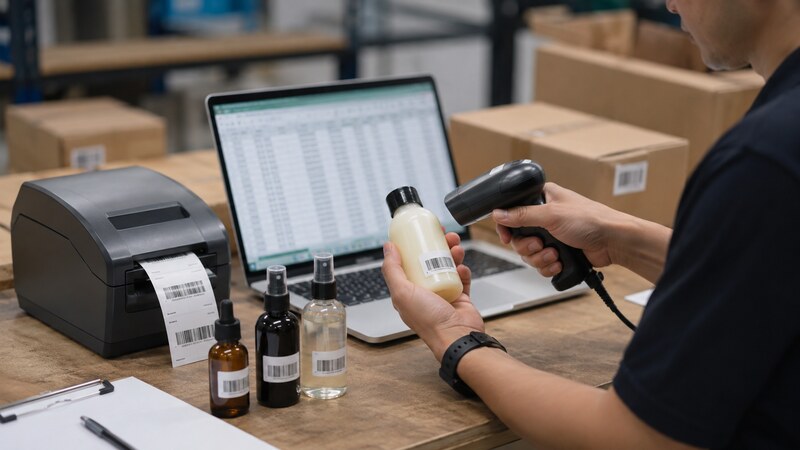
Warehouse and Fulfillment Processing Statuses
These labels describe the work happening before carrier delivery.
Unfulfilled
Unfulfilled usually means one or more items still require fulfillment work.
The order may already be paid. It may also have inventory reserved. The status only tells you that the fulfillment obligation has not been fully recorded as complete. A newly placed order often remains unfulfilled while the warehouse waits for its next picking wave. That can be completely normal.
In progress or processing
The order is being prepared. Depending on the system, the warehouse may be allocating inventory, picking products, performing quality checks, packing, or printing documents.
Be careful with the word Processing. WooCommerce commonly uses it as an order status showing that payment was received and the order is awaiting fulfillment. Another system may use it for active warehouse work.
Allocated or reserved
Inventory has been assigned to the order. This can prevent the same unit from being promised to another customer.
Allocation does not necessarily mean the item has been picked. A stock discrepancy can still appear when a warehouse worker visits the bin.
Picking
A warehouse worker or automated system is collecting the ordered SKUs from storage locations.
Picking delays can come from inventory mismatches, unclear locations, damaged units, high order volume, or products stored across several zones.
Packed
The items have been checked, placed in packaging, and prepared for labeling or dispatch.
A packed parcel may still be inside the warehouse. It is not necessarily in the carrier’s possession yet.
Partially fulfilled
Only part of the order has been fulfilled.
This commonly happens when:
- one item is out of stock or backordered;
- products ship from different warehouses;
- a preorder ships later;
- a marketplace seller handles one line item;
- products need different shipping methods;
- an order is divided into multiple boxes;
- one item is canceled while the rest ships.
The customer should receive line-item or parcel-level information showing what has shipped and what remains open.
Fulfilled
Fulfilled generally means the seller or fulfillment system has recorded the required fulfillment work as complete for all relevant items.
On many physical-goods workflows, this happens when the parcel is prepared for dispatch, the shipping label is created, or the shipment is handed to the carrier. The exact trigger varies.
It does not automatically mean delivered.
Shopify’s current documentation, for example, lists Unfulfilled, In progress, On hold, Scheduled, Partially fulfilled, Fulfilled, and Fulfillment not required. It says an order becomes fulfilled when all items are fulfilled and shipped, while also noting that purchasing and printing a Shopify shipping label can mark an order fulfilled in the admin. This is a good example of why the platform workflow matters. See Shopify’s order status documentation for its current definitions.
Fulfillment not required
Some orders have nothing left to fulfill. This may apply to digital products, services, canceled items, fully refunded unfulfilled items, or products removed from an order.
Do not treat this label as proof that a physical parcel was dispatched.
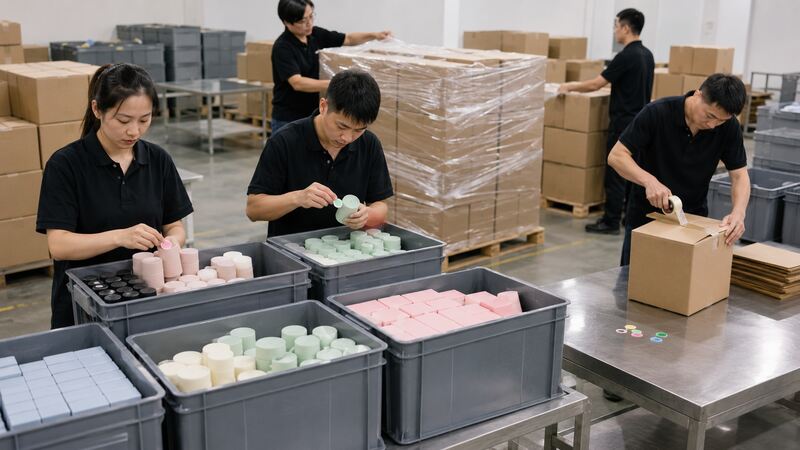
Shipment and Delivery Statuses
These labels generally come from the warehouse dispatch process or carrier network.
Label created
A shipping label and tracking number exist, but the carrier may not have scanned the parcel yet.
This is one of the most common reasons an order looks fulfilled while tracking shows no movement.
Shipped or accepted
The shipment has been dispatched or accepted by the carrier. Some stores use Shipped as a custom order status. Others keep Fulfilled as the store status and show shipment events separately.
In transit
The parcel is moving through the carrier network. It may pass through sorting centers, airports, customs gateways, and local delivery facilities.
Out for delivery
The parcel is with the delivery route or local facility responsible for the final attempt. Delivery can still be postponed because of weather, address problems, access restrictions, or route capacity.
Delivered
The carrier has recorded a successful delivery event.
If the customer cannot find the parcel, check the delivery location, proof of delivery, household members, reception desk, neighbors, safe-place instructions, and carrier details before assuming the status is false.
Delivery exception
A problem has interrupted normal delivery. Common causes include customs holds, incorrect addresses, failed delivery attempts, damage, weather, or recipient unavailability.
An exception needs context. It is not automatically a lost parcel.
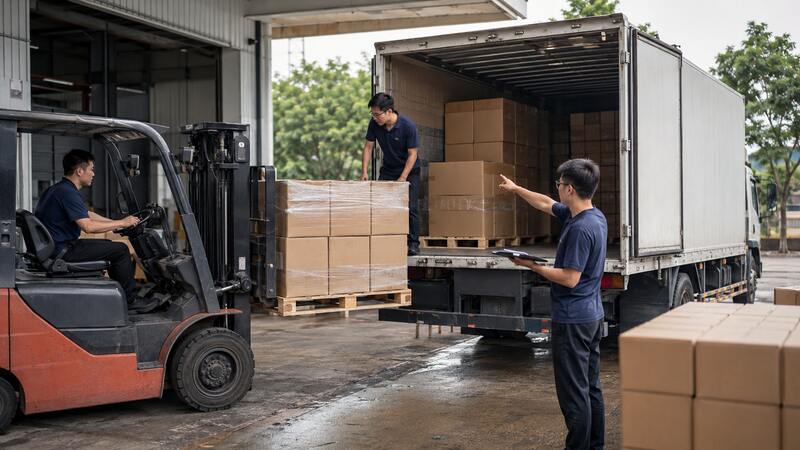
Return and Refund Statuses
Returns and refunds occur after or alongside fulfillment, but they are often stored in separate system fields.
Return requested
The customer has asked to return one or more items. The seller may still need to approve the request or issue instructions.
Return in progress
The return has been approved, created, or shipped back. The product may still be moving to the return center.
Returned
The item has reached the assigned return location or the return workflow has been recorded as complete. Inspection and refund processing may still remain.
Refund pending
The seller or platform has started a refund, but the payment provider has not completed it.
Partially refunded
Only part of the order value has been returned. This may match one returned item, a shipping adjustment, a discount correction, or a partial claim.
Refunded
The refund has been issued for the applicable amount. Bank or card posting time can still delay when the customer sees the funds.
Why Fulfillment Status Matters for Customers
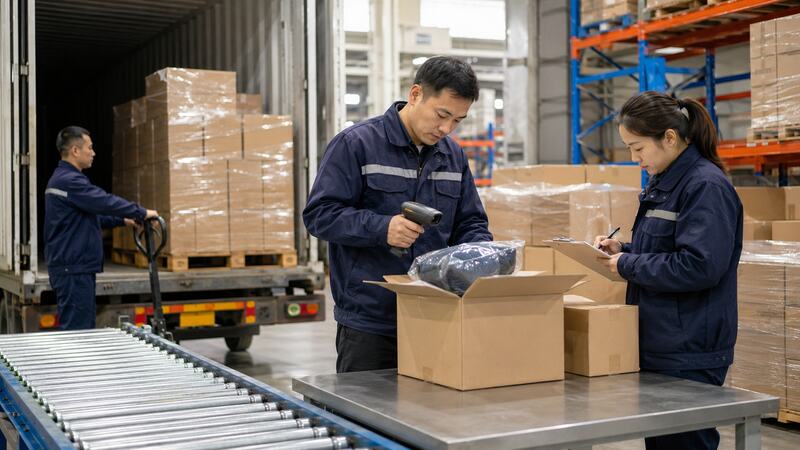
It reduces uncertainty
A useful status tells the customer whether the seller is preparing the order, has dispatched only part of it, or needs more information.
Without that visibility, a two-day warehouse delay can feel like the order disappeared into a black hole.
It sets better delivery expectations
A customer should not expect carrier movement while the order is still unfulfilled. Once tracking begins, carrier events become the better source for delivery progress.
It helps customers spot split shipments
Partial fulfillment explains why one item arrived while another did not. Showing the products and tracking number attached to each parcel prevents avoidable “missing item” complaints.
It shows when action is needed
An order may need a corrected address, identity check, duty payment, pickup arrangement, or return response. A useful status should point to the next action rather than merely display a vague warning.
It makes support conversations faster
A customer who can provide the order ID, fulfillment status, parcel number, and last tracking event gives the support team a much better starting point.
Why Fulfillment Status Matters for Ecommerce Businesses
Better inventory accuracy
Line-item fulfillment data shows how many units were ordered, allocated, picked, shipped, canceled, and returned. This supports inventory reconciliation and prevents overselling.
Fewer “Where is my order?” tickets
Clear, timely updates reduce basic status questions. Support teams can spend more time on real exceptions instead of manually checking routine orders.
Faster exception management
A dashboard can highlight orders stuck in payment review, allocation, picking, packing, carrier acceptance, customs, or delivery.
The point is not to create more colored badges. It is to show where work stopped and who owns the next step.
More accurate customer notifications
Status events can trigger useful messages such as:
- order confirmed;
- fulfillment started;
- partially shipped;
- shipment dispatched;
- delivery delayed;
- delivered;
- return received;
- refund issued.
Better 3PL and carrier performance measurement
Accurate timestamps help measure order-to-release time, picking time, packing time, dock-to-carrier time, delivery time, error rate, and fulfillment SLA performance.

How the Fulfillment Status Workflow Works
A typical physical-order workflow looks like this:
|
Stage
|
Typical event
|
Who may update it
|
|
Order received
|
Customer completes checkout
|
Store or marketplace
|
|
Payment checked
|
Payment is approved, pending, or held
|
Payment provider or platform
|
|
Inventory allocated
|
SKU and quantity are reserved
|
OMS, WMS, store, or 3PL
|
|
Picking
|
Warehouse collects the items
|
Warehouse or 3PL
|
|
Packing
|
Items are checked, packed, and labeled
|
Warehouse or 3PL
|
|
Fulfillment recorded
|
Order or line item is marked fulfilled
|
Store, WMS, 3PL, app, or integration
|
|
Carrier handoff
|
Carrier accepts or scans the parcel
|
Warehouse and carrier
|
|
In transit
|
Parcel moves through the delivery network
|
Carrier
|
|
Delivered
|
Carrier records the delivery result
|
Carrier
|
|
Return or refund
|
Product and payment move through after-sales processing
|
Seller, platform, warehouse, or payment provider
|
Updates may move through APIs, webhooks, scheduled imports, batch files, carrier feeds, or manual actions. That is why timestamps in the store, warehouse, and carrier system may not match exactly.
Why Is an Order Still Unfulfilled After Payment?
Payment is only one step. An order can remain unfulfilled because:
- inventory has not been allocated;
- a product is out of stock;
- the item is a preorder or backorder;
- the warehouse has not reached the order in its picking queue;
- the order arrived after the daily cut-off;
- the address needs verification;
- fraud or compliance review is open;
- the seller has not released the order;
- a customization step is required;
- a store-to-warehouse integration failed;
- fulfillment must be started manually.
What customers should do
- Check the stated processing time, not only the delivery estimate.
- Review email, account notifications, and payment status.
- Confirm whether any item is a preorder or backorder.
- Contact the seller if the processing window has passed.
- Provide the order number, but do not post it publicly.
What sellers should check
- Confirm payment and fraud-review results.
- Compare store inventory with WMS or 3PL inventory.
- Check whether the order was imported successfully.
- Review allocation, holds, and order notes.
- Confirm the correct warehouse or fulfillment location.
- Check whether a product restriction or address rule blocked release.
WooCommerce illustrates why payment and fulfillment should not be mixed together. Its documentation says Processing generally means payment succeeded and the order is awaiting fulfillment, while physical orders normally require the merchant to complete fulfillment before changing to Completed. Review WooCommerce’s order troubleshooting documentation for its current workflow.
What Does Partially Fulfilled Mean?
Partially fulfilled means some order quantities have been processed while others still need work.
|
Situation
|
What the customer may see
|
What the business should do
|
|
One item is backordered
|
One parcel ships; another item remains open
|
Give a realistic date or cancellation option
|
|
Items use different warehouses
|
Multiple parcels and tracking numbers
|
Map each item to the correct shipment
|
|
One marketplace seller ships separately
|
Seller-specific dispatch updates
|
Make seller responsibility clear
|
|
One order needs several boxes
|
Several tracking numbers for the same order
|
Show package-level tracking
|
|
Part of the order is canceled
|
Shipped items plus refund activity
|
Separate fulfillment and refund messages
|
Partial fulfillment is not necessarily a problem. Poor communication around it is the problem.
A customer should be able to answer three questions:
- Which items have shipped?
- Which items are still pending?
- What happens next?
Fulfilled but No Tracking Number: What Does It Mean?
This situation can happen when:
- a label was created but the tracking field did not sync;
- the order was marked fulfilled before carrier acceptance;
- tracking is attached to an individual line item or package;
- the carrier has not produced the first scan;
- a non-integrated local delivery method is being used;
- the seller completed fulfillment manually without adding tracking;
- a digital product or service required no shipment.
Check the fulfillment timestamp, carrier name, tracking field, shipment confirmation, warehouse dispatch record, and first carrier scan.
For a physical order, a fulfilled label without tracking does not prove that the parcel is moving. It only proves that the system recorded a fulfillment event.
Is Fulfillment Status Updated in Real Time?
Sometimes. A better description is near-real-time or event-based.
A status may update when:
- a payment provider sends confirmation;
- a warehouse scans a tote or item;
- a picker completes a task;
- a packer closes a carton;
- a label is purchased;
- a 3PL sends a webhook;
- a carrier accepts the parcel;
- a scheduled data sync runs;
- an employee changes the order manually.
Delays can come from API queues, internet issues, batch processing, carrier scan gaps, incorrect mappings, or failed webhooks.
Physical movement and digital status are related, but they are not the same thing. A parcel can be sitting on a carrier truck before the store receives the acceptance event. It can also be marked fulfilled while still waiting on a warehouse dock.
How Different Ecommerce Platforms Use Fulfillment Status
Shopify
Shopify separates order, payment, fulfillment, and return statuses. Its fulfillment labels include Unfulfilled, In progress, On hold, Scheduled, Partially fulfilled, Fulfilled, and Fulfillment not required.
An order can also create multiple fulfillment orders when items are assigned to different locations or cannot ship together.
Amazon FBA and FBM
With Fulfillment by Amazon, Amazon manages warehouse fulfillment and delivery events for eligible inventory. With Fulfilled by Merchant, the seller or its 3PL is responsible for confirming shipment and providing valid tracking where required.
The marketplace order status, inventory status, fulfillment-channel status, and carrier tracking should not be treated as one field.
WooCommerce
WooCommerce core order statuses include labels such as Pending payment, Processing, On hold, Completed, Canceled, Refunded, and Failed.
These are primarily order statuses. Stores can add shipping plugins or custom statuses, so one WooCommerce store may show Shipped while another moves directly from Processing to Completed.
Marketplace sellers
A marketplace order can contain products from different sellers. Each seller may have its own inventory, warehouse, processing time, carrier, and return process.
The customer-facing order status may summarize several separate fulfillment records.
Custom OMS and WMS systems
Larger businesses often create internal statuses such as Released, Allocated, Wave created, Picking, Packed, Manifested, and Dispatched.
These detailed labels are useful for operations, but customers do not need every internal scan. Translate them into a smaller set of clear milestones.
Fulfillment Status Data and Operational Standards
There is no single global fulfillment-status vocabulary that every ecommerce platform must use. Still, reliable systems need consistent data.
|
Data field
|
Why it matters
|
|
Order ID
|
Connects store, warehouse, customer-service, and carrier records
|
|
Order line ID
|
Separates individual products or quantities in one order
|
|
SKU and variant
|
Identifies the exact item being processed
|
|
Ordered quantity
|
Records what the customer purchased
|
|
Fulfilled quantity
|
Records what has actually been processed
|
|
Fulfillment location
|
Shows which warehouse or seller owns the work
|
|
Tracking number
|
Connects a parcel with carrier events
|
|
Carrier or service code
|
Sends tracking to the correct carrier system
|
|
Event name
|
Describes what happened
|
|
Event timestamp and time zone
|
Supports sequencing and SLA measurement
|
|
Exception reason
|
Explains why the normal flow stopped
|
|
Return or refund reference
|
Connects after-sales activity to the correct item
|
Businesses should define each status in a standard operating procedure. For example, decide whether Fulfilled means “label printed,” “packed,” “manifest closed,” or “carrier accepted.” Without that rule, teams can report the same number and mean different things.
Fulfillment Status Across Different Industries
Direct-to-consumer ecommerce
Customers expect order confirmation, shipment tracking, and useful delay notices. Partial fulfillment is common when products come from several locations.
B2B wholesale and distribution
A purchase order may be released in several batches. Buyers need fulfilled quantities, backorder quantities, carton or pallet references, and expected remaining dates.
Subscription boxes
Orders may be scheduled before the fulfillment date. Status rules must separate “order created” from “ready to pick,” especially when subscriptions are generated days or weeks early.
Crowdfunding campaigns
Thousands of rewards may enter fulfillment in waves by region, product version, survey completion, or address confirmation. A campaign-level label is not enough; backers need batch and shipment visibility.
Dropshipping
The store relies on a supplier to send fulfillment and tracking events. Late or inaccurate supplier updates can make an order appear unfulfilled even after dispatch—or fulfilled before anything has moved.
Apparel and footwear
Size and color variants increase inventory mismatch risk. Line-item status helps prevent the wrong variant from being marked as shipped.
Electronics and spare parts
Products may require serial-number capture, battery checks, export documentation, or special packaging. A generic Processing label can hide several compliance steps.
Practical Solutions for Better Fulfillment Visibility
Connect the store, warehouse, 3PL, and carrier
A good integration sends accurate order data to the warehouse and returns fulfillment, tracking, and exception events to the store.
For businesses storing inventory in China, China warehousing services can combine receiving, storage, inspection, and dispatch in one workflow.
Use line-item status for multi-product orders
Do not rely only on one order-level label. Track the ordered, allocated, picked, packed, fulfilled, canceled, and returned quantity for each line item.
Define status triggers in an SOP
Write down exactly when each event occurs:
- Allocated when inventory is reserved;
- Picked when the warehouse confirms collection;
- Packed when quality checks and packing are complete;
- Fulfilled at the agreed store or WMS event;
- Shipped when the agreed carrier handoff occurs;
- Delivered when the carrier reports delivery.
The precise labels can differ. The definitions should not.
Add exception reason codes
Use clear reasons such as:
- payment hold;
- inventory shortage;
- damaged stock;
- address error;
- restricted product;
- customs document missing;
- carrier pickup missed;
- tracking sync failed;
- delivery failed;
- return inspection required.
An On hold label without a reason is not much help. It is basically a locked door with no sign on it.
Notify customers at meaningful milestones
Useful notifications include order confirmation, delay requiring action, partial shipment, dispatch, delivery exception, delivered, return received, and refund issued.
Avoid emailing customers for every internal movement. A picking-wave email would be technically accurate and mostly baffling.
Monitor status aging
Create alerts for orders that remain too long in a status. The threshold should match the product and service promise.
Examples include:
- paid but unfulfilled beyond the processing SLA;
- packed but not accepted by the carrier;
- fulfilled without tracking;
- in transit without a carrier scan;
- delivered but followed by a non-receipt complaint;
- returned but not inspected or refunded.
Keep inventory and fulfillment data together
Strong fulfillment visibility starts before picking. Accurate receiving, stock counts, locations, and replenishment reduce orders getting stuck after payment.
Use an inventory framework such as safety stock planning for ecommerce inventory in China to reduce avoidable backorders.
Use a fulfillment partner with clear event reporting
A 3PL should provide item-level processing, inventory adjustments, package data, carrier service, tracking numbers, and exception reasons.
Ecommerce fulfillment services can connect picking, packing, inventory, and order-status updates. For parcel routing and carrier options, review ecommerce shipping services.
Conclusion
Fulfillment status shows where an order stands in the seller’s preparation and dispatch workflow. It may tell you that an item is unfulfilled, in progress, partially fulfilled, fulfilled, or does not require fulfillment.
It does not always tell you whether payment cleared, where the parcel is, whether delivery happened, or whether a refund is complete. Those events may belong to separate order, shipment, delivery, return, and payment statuses.
For customers, the best approach is to check the order timeline, products attached to each shipment, tracking number, and latest carrier event. For businesses, the real job is to define each status, track it at line-item level, and make sure the store, warehouse, 3PL, and carrier are speaking the same language. Or at least close enough.
FAQs
What does fulfillment status mean?
Fulfillment status shows whether the seller or warehouse still needs to prepare and dispatch an order or line item. Common labels include unfulfilled, in progress, partially fulfilled, and fulfilled.
What does unfulfilled mean?
Unfulfilled usually means one or more items still require fulfillment work. The order may already be paid, but inventory allocation, picking, packing, labeling, or dispatch has not been fully recorded.
Does fulfilled mean shipped?
Often, but not always in exactly the same way. Some systems mark an order fulfilled when a label is created or warehouse work is completed. Others use carrier handoff as the trigger. Check the platform and tracking events.
Does fulfilled mean delivered?
No. Fulfilled usually means the seller’s preparation or dispatch obligation has been recorded. Delivered is a later carrier event showing that the parcel reached the destination.
Why is my order still unfulfilled after payment?
Payment and fulfillment are separate. The warehouse may be waiting for inventory, order release, address verification, a picking wave, customization, a preorder date, or a system sync.
What does partially fulfilled mean?
It means some items or quantities have been fulfilled while others remain open. The order may ship in multiple parcels, on different dates, or from different warehouses and sellers.
Why is my order fulfilled but there is no tracking number?
The seller may have marked it fulfilled before carrier acceptance, the tracking field may not have synced, the first carrier scan may be pending, or the order may use a non-shipping fulfillment method.
Can fulfillment status change or update late?
Yes. Statuses can change after manual corrections, cancellation requests, returns, fulfillment reversals, or delayed system syncs. Physical movement and digital updates do not always happen at the same moment.
How do I check my fulfillment status?
Open the order page in the store or marketplace account. Review the order timeline, fulfillment label, items assigned to each shipment, tracking number, and latest carrier event. Contact the seller if the stated processing time has passed.
What should a business do when fulfillment status is wrong?
Compare the store order, payment result, OMS or WMS record, 3PL event, package data, and carrier scan. Correct the source event or integration mapping instead of changing only the customer-facing label.
 Post Views:10723
 TAGS:
TAGS:
Copyright statement: The copyright of this article belongs to the original author. Please indicate the source for reprinting.
Previous Post
What Does Delivery Exception Mean?
Next Post
TAGS
Hot Research
Recent News
Get Custom eCommerce Fulfillment Service
Book a Meeting
Get a Custom China Fulfillment Solution with FREE Storage for 30 Days
Want to know about our services, fees or receive a custom quote?
 Want to know about our services, fees or receive a custom quote?
Please fill out the form on the right and we will get back to you within a business day.
The more information you provide, the better our initial response will be.